Monday, April 29, 2019

Final Evaluation

Final Evaluation 

Overall I believe my shoots were successful in incorporating circles in a unique way. In the first shoot my make up look was neat and finished which made my photos look a lot better; I particularly loved the glitter and shine that reflected the cameras flash. With my edits you can see the clear link to Andy Warhol, and I love how you can see the development of my first Andy Warhol collage and the second. I also love the consistency of the bright colours and theme in my first shoot. 
However the simplicity of these shoots can be repetitive and I believe I could be more creative when shooting any future make up looks. As well as, when editing these images I found that cleaning up the image each time I used a new image was time consuming. To save time I could've saved any images I wanted to use more than once which were all blemish free and ready to get straight into adding layers. For shoot two, I loved how abstract and creative my final edits are. However my crystal balls would've been a lot better if I had used an actual crystal ball for my shoots. 
Throughout my shoots some of my photos lacked because of the lack of equipment I have, for example for these shoots I needed a tri-pod and a model. In future shoots , I'd like to use the college studio which I do have access to. This will then result in better quality images and the appropriate lighting and props. I believe the biggest mistake I've made throughout all my shoots is more poor time management. A more scheduled plan would've have helped me plan more sufficiently, by deciding what kind of photos I want before the shoot and an idea of what the end result will be. This would've resulted in a clearer intention and aim and also better final edits. 

Final Images

Final Images


Work Record Shoot 2

Work Record Shoot 2


Plans for Shoot

My plans for this shoot is to use some of the landscapes I took when visiting a town in Iceland and to edit them similar to Stefen Lenz images. 


Research Influence

Stefen Lenz

Stefan Lenz, born in Germany and raised in the southeast of Austria, discovered his love for travelling in 2010. In the following eight years he visited a total of 52 countries on four continents. In 2016 he started travelling alone and focused more and more on his second passion, which is photography. Meanwhile his photos regularly inspire several thousand followers on Instagram

Image result for stefan lenz crystal ball  Image result for stefan lenz crystal ball


Image Bank


Image result for crystal ball photography

Image result for crystal ball photography

Related image


Contact Sheets


Best Images


Images that need Improvement


I have selected the image above because of the poor quality of the image. The camera was zoomed in too much (36x) and because of this the quality of the image has been lost. 

I have selected this image because of how it was taken. The angel of the image is not landscape or portrait and in my opinion it doesn't look very professional for landscape images.

I have selected this image because the camera isn't in focus. It also isn't very straight, to improve this I could've used a tripod. 


AO1

For this shoot I had to experiment and discover different tools in Photoshop. With further research into crystal ball photographers, I found that majority is landscape photography, however I found some crystal balls with flowers in them. If I was able to shoot again I would take photos of flowers and edit them into crystal balls. 

AO2

I am inspired by Stefen Lenz's crystal ball photography and wished I could've taken some of my own photos, however instead I am going to edit my images as if there is a crystal ball. If I was to shoot again I would invest in a crystal ball to get a better effect.
Below shows the process of how I edited my images to get a crystal ball effect.

1.


To start off my crystal ball edit, I opened another tab with the image I am using so I can make the main focus of the image into a circle. To do this I used the elliptical selection tool to circle the area of the photo I want to be the crystal ball, I then added a layer mask to this and this automatically cut out the other parts of the image that wasn't circled ( these are both circled in the image above, along with the result of these steps). I then moved my new image into my first tab where the same image is, but will be used as a background.


2.

The next thing I did was change the settings on the background image, just to define the edges of the cropped image ( the crystal ball ). I did this by giving the image a higher saturation and then adjusting using a curves layer as originally the exposure was a bit too bright. I then adjusted the cropped image by turning it upside down, the same effect the crystal ball has when holding it up to an object of focus. I did this and noticed that in the crystal ball there is a slight bend in the image that is shown, to try and achieve this affect, I adjusted the image further by using the warp option. This allowed me to stretch and bend the image to my liking. I had to duplicate the image to do this as I needed to keep the circular shape of the crystal ball. The image above is a screen capture of the warp option in action.

3.

After playing around with the warp image, I noticed that the 'crystal ball' does not look like a 3D ball. To develop on this I took a paint brush tool and selected a slightly darker blue than the one in the cropped image, and then lowered the opacity of the brush so that the strokes aren't too harsh ( these are both circled in the image above). I then start painting and adding tone and depth to the crystal ball to try to make it look more 3D. I then took the same brush but with the colour white to add the highlights of the crystal ball. Various colours and a changing opacity for the brush was used to get a result I was happy with. The image above shows the beginning of the shading.
After some time adjusting and tweaking the image, I soon got a result I was satisfied with. With more time I believe I could've made the crystal ball look glossier and more crystal ball like.


While I was editing the crystal ball images I got an idea to experiment with placing circles of the image in an arrangement.  For this image above, getting the circles was the same process as the previous edits. I duplicated the circles and placed them in an arrangement. To make the circles stand out I used a layer mask on the saturation layer to make the background unsaturated, this is circled in the screen capture displayed below. I got various ideas while playing around with these circles, they are displayed in my final images.


AO3

My intentions for this shoot was to capture landscapes that I can edit to create a crystal ball effect. I have learned new techniques in Photoshop during this shoot an d I believe with the time I was given, I have successfully displayed my intentions. With further research I may have been able to make the 'crystal ball' look glossier and more realistic, however my crystal ball does have depth in it and it doesn't look 2D. I also think that some of my methods had a quicker short cut, and by finding these out I could've saved time to then focus more on the shading and highlighting of the crystal ball to make it neater and more effective.With the other edits I did, I loved how effective the simplicity of it was. Some things I would change if I was to re shoot, would be to use a tripod and to get a wider variety of images to work from. When photographing the waterfall, my lens got water droplets on them which made it very hard to keep the lens clear. 


AO4


Work Record Shoot 1

Work Record Shoot 1

Plans for Shoot

For my first exam shoot I have taken images of a finished make up look I created. My idea was to create finished images influenced by Andy Warhol's pop art. To do this I have photographed the same make up look but with different colours each time. To experiment with my images I want to edit some individual images to see how I can add a more refined finish to my images or a surreal twist to them.

Research Influence

Christel Bangsgaard

Christel Bangsgaard is a Danish born beauty and fashion photographer . Her work can be seen in international publications worldwide and shes also won a variety of different awards in her advertisement. I have chosen to research into this photographer because of her bright colourful make up looks she has photographed which influenced me to create a vibrant make up look myself.

Image result for Christel Bangsgaard                   Related image

 
Andy Warhol

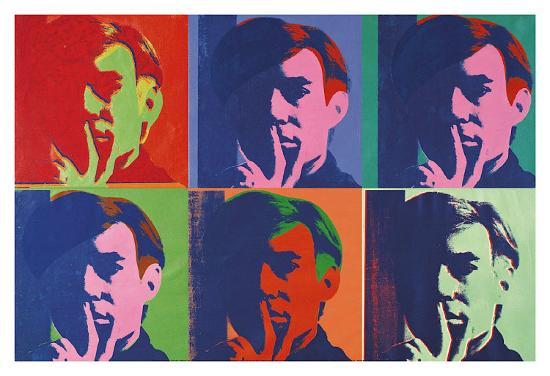
Andy Warhol, born August 6, 1928 – February 22, 1987, was an American artist, director and producer who was a leading figure in the visual art movement known as pop art. His works explore the relationship between artistic expression, celebrity culture, and advertising that flourished by the 1960's, and span a variety of media, including painting, silk screening, photography, film, and sculpture. I have decided to research into this artist because his presentation of his art has influenced me to create my own version of his pop art.

Image result for andy warhol  Related image

Image Bank

Related image
The image above is a pop art style of a drag queen called Trixie Matel. I love this image as most drag queens see drag as an art and can be really creative with their makeup. Their bold make up can be bright and vibrant and something unique to them, which is what I am aiming for with my makeup look. 

Related image
This make up look incorporates polka dots with a chosen colour palette. I love how sharp and finished the make up is, topped with lashes and coloured contact lenses. 


Contact Sheets


Best Images


Images that need Improvement


Throughout the shoot many images became blurry simply because of the close proximity of the camera; Because of this the camera wasn't in focus. As well as this, I used a slow shutter speed therefore the model or camera moving while the photo is being taken could also be a result in the images being blurry. Three examples of these images are presented above. To prevent these issues occurring, I should have used a tri-pod as extra precaution to keep my camera still. I also should've used the macro setting on my camera to help the camera with the close proximity and focus.


My method for taken these images lead to some shadows appearing in my images. I've used the flash in this shoot to capture as much detail as I can, and because of the close proximity the barrel of the camera sometimes created a shadow on the face; Because of this the images are too bright or blurry. Four examples of this are presented above. To prevent this from happening I zoomed into the models face rather than moving the camera closer to the face. 


AO1

For this shoot I have done research for Photoshop tools to discover ways to create a Andy Warhol effect on my images. I have looked at tutorials which all show different ways to create different effects which all relate to Andy Warhol. This has helped me a lot as I have discovered new methods and settings which could help me in future shoots.

AO2

The camera settings I used for this shoot was a shutter speed of 1/60 and an aperture of F5.6. I kept this consistent as it kept my images consistent and was much easier to keep the same, especially when you're using the flash which I had to keep in mind when setting the aperture. 

To edit my photos I will be using Photoshop to create an Andy Warhol effect on my images. I will be fixing any blemishes and adding filters to make the image look even more vibrant and colourful. I also want to experiment with a previous Photoshop edit I have used before, which is a black and white image with colour in selected places. With my main focus being colour I believe this could be really successful or contradict my main focus completely.

1
    2


3


4

 5

The images above show the editing process for my first final edit. The first image is the unedited image that I am working on, the second shows my first lot of editing I did. You can see how the skin looks a lot clearer, and the makeup and eyebrows look a lot neater and the contact lenses in the eye is a lot less obvious. I achieved this by using the blemish tool. Because I wanted to have bright, vibrant colours I then made the saturation a lot higher, however this also caused the skin to look a lot more red and saturated this is shown in the second image. To fix this issue but still keep the orange makeup bright and saturated, I put a layer mask over it and then used the paint brush tool to remove any of the harsh unwanted colour. The orange came out a lot brighter than the other colours, so I used a layer of Curves to adjust this and make it better suited to the other colours. With more tweaking to the settings I got a final result I was happy with, which is shown in the last image. A screen capture of the layers and settings is shown next to the last image. I repeated all these steps for each individual photo that I'll be using for the final edit, some more examples of this is shown below. Once all the images were completed to my satisfaction, I then placed them together to created a 2x2 collage of my images to create a final edit.


Using the influence of Andy Warhol, I further developed my images by making the colours more suited to his pop art style. The editing process of this was similar to that of the edits above, however a different layer was added after all the blemishes, cropping and refining was completed. Rather than giving them a high saturation I added a Gradient Map layer onto the images. This allowed me to add colour to my images without using just a block colour, but refined the shadows in the image by selecting a darker colour that blends with your main colour you select. A screen capture of this and an example of what it looks like is shown below.


Once I edited all my images to how I wanted them, I then transformed them all onto one page and adjusted them all to fit in an Andy Warhol collage. I believe this edit is a lot better than my first as it looks a lot better and links more to Andy Warhol. I believe if a viewer looked at this final edit, they would know it's linked to pop art. Shown below is all the layers of the final edit.


AO3


My intentions for this shoot was to create a finished image related to Andy Warhol that incorporates circles into the image. I loved experimenting with different make up looks which are shown in previous shoots in component one. I love this make up idea as it incorporates circles in a simple way, this made it easier to copy when using other colours. I believe I was also very successful in capturing detail in the make up and the iris of the eye. The blue eye stands out great against the colours I've used, in particular the orange and green colours, and vice versa. But because of how simple it is, it could become too repetitive when I present my final images, however I believe if I edit my images successfully I will eliminate this factor. I also found trouble working with the yellow shade because it is not as bright and vibrant as all the other colours I have used.
If I were able to do another shoot for this exam I would use more of the face, rather than just photographing the eye. If i had a model to work on and photograph, I believe this shoot could've had a better variety of images, rather than just the eye. 

AO4

Displayed below are my final images, refined to my satisfaction in the time given.